
How to create reverse recommendations
When creating manual recommendations, reverse recommendations are not automatically created for practical reasons (see https://docs.codeblackbelt.com/article/1481-why-also-bought-does-not-support-automatic-reverse-recommendations). However, this is something that merchants can accomplish with just a couple of clicks.
First of all, when we refer to reverse recommendations, we mean the replication of a concrete product recommendations in all its recommended products. That is, let's assume we have configured the manual recommendations ADIDAS BACKPACK and NIKE CAP for the product VANS SNEAKERS:

Its reverse recommendations would be:
-
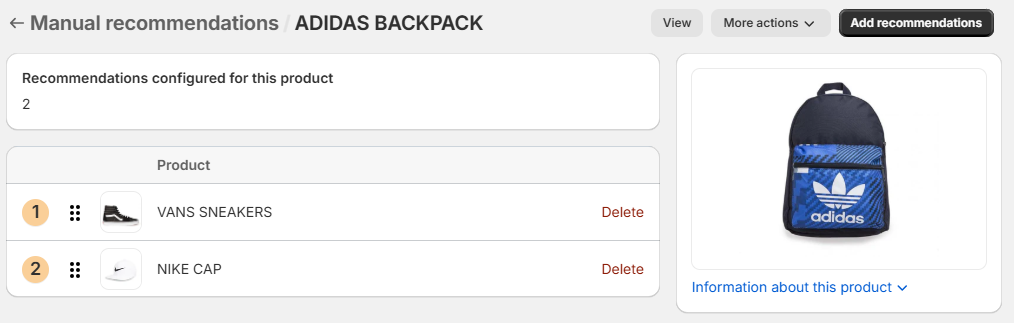
Product ADIDAS BACKPACK, with recommendations VANS SNEAKERS and NIKE CAP:
-
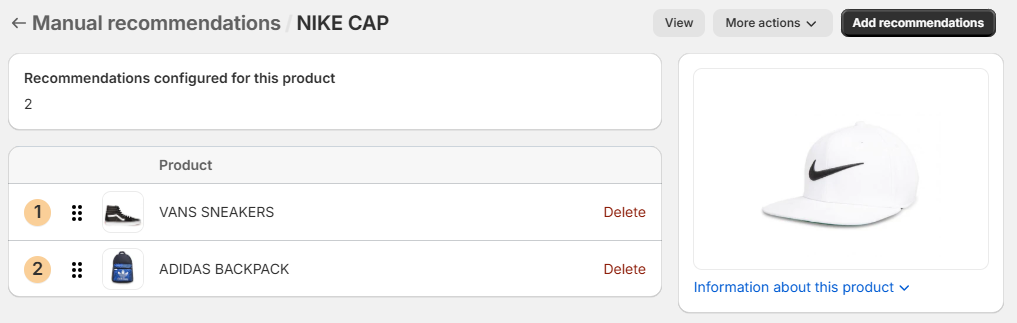
Product NIKE CAP, with recommendations VANS SNEAKERS and ADIDAS BACKPACK:
To create reverse recommendations, simply go to the manual recommendations configuration page of a concrete product and click on the Create reverse recommendations option:

Note that you will need to decide if possible existing recommendations of recommended products should be overwritten:
