
Why is the 'Cheapest item for free' combinable discount applied twice if the same bundle is added twice?
According to Shopify's documentation, when multiple product discounts apply to the same line item, the discount combination is not supported and only one discount is applied.
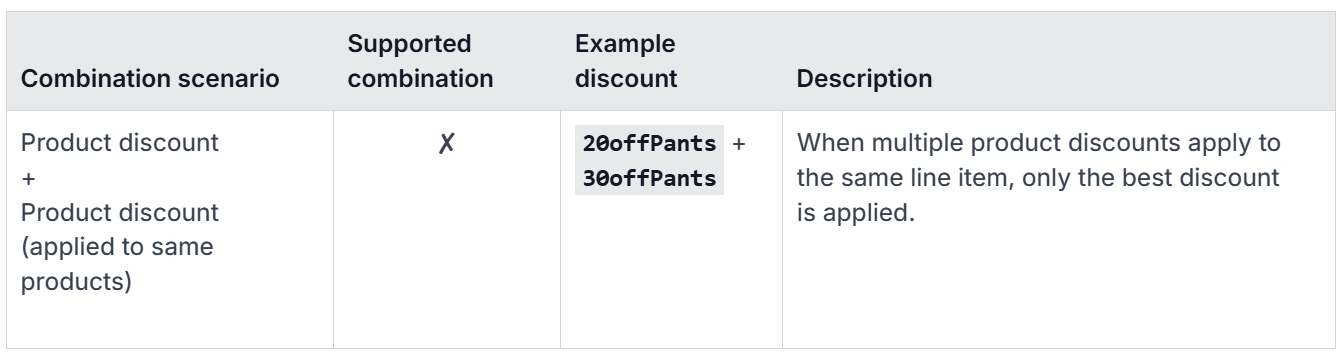
This is true in most cases, except for the 'Cheapest item for free' discount. Due to a known Shopify limitation, if multiple discounts of this type apply to the same product, the discount is applied multiple times.
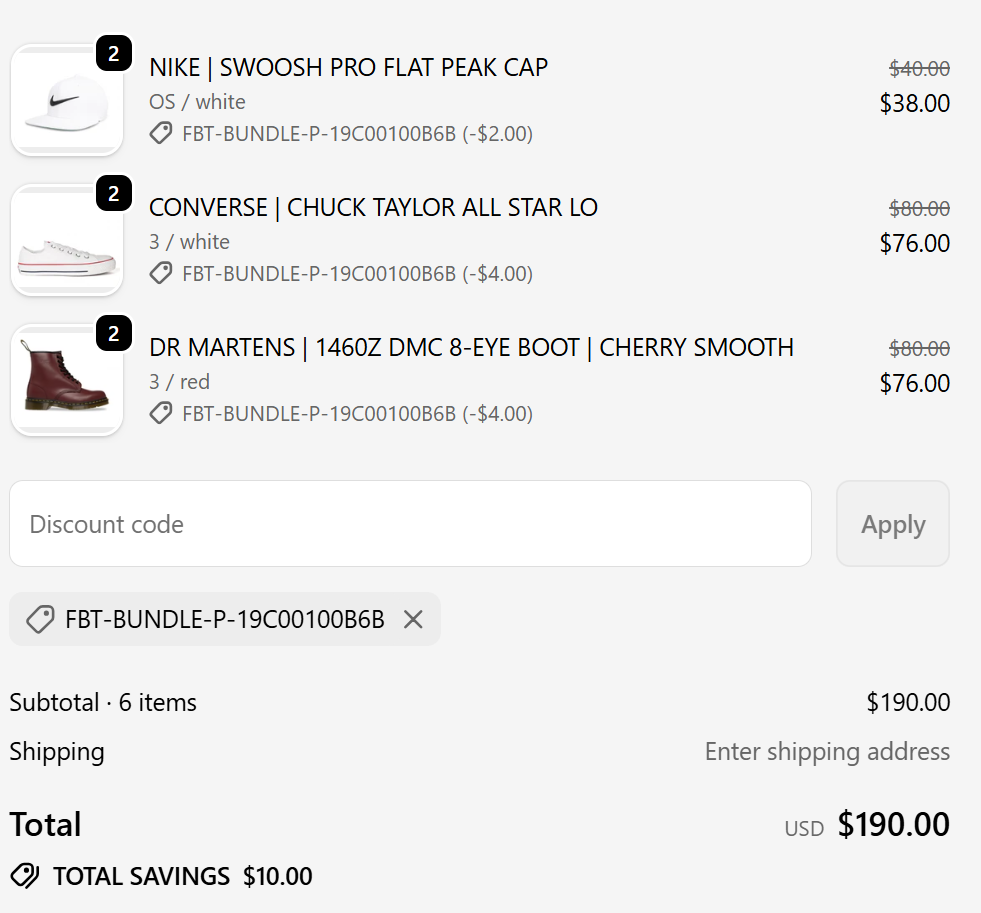
For example, if a bundle with a combinable percentage discount is added twice, only one discount is applied. In the following checkout image, where a 10% combinale discount has been configured, you can see a $100 bundle added twice and how the discount ($10) is applied to just one of the bundles.
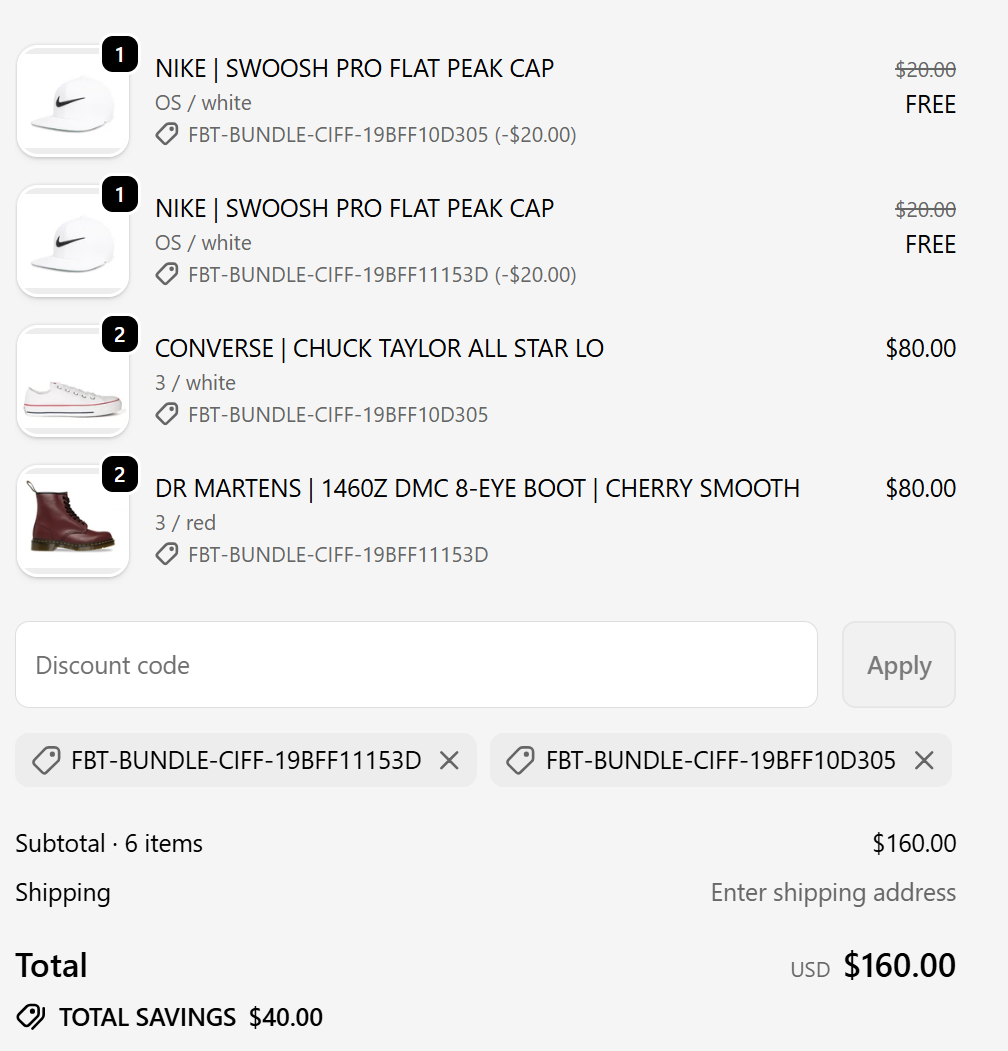
However, if a bundle with a combinable 'Cheapest item for free' discount is added twice, the discount erroneously stacks and is applied twice. In the following checkout image, where a bundle with a 'Cheapest item for free' combinable discount has been added to the cart twice, we can see that the discount is also applied twice:
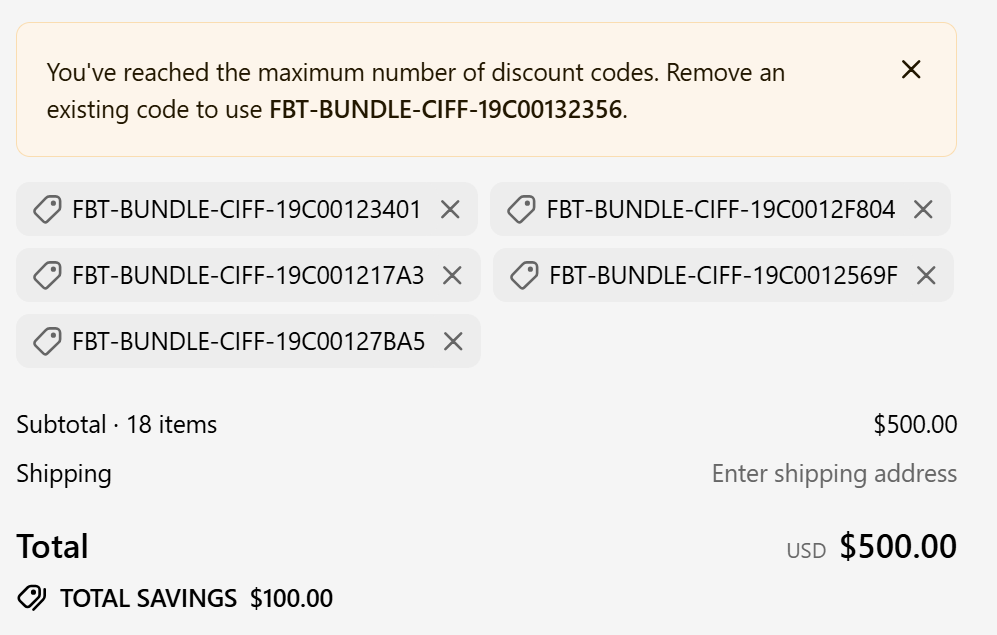
Currently, Shopify allows a maximum of five product discount codes per order. Consequently, five is the upper limit of 'Cheapest item for free' discounts that can be applied to the same items in the same order.
This is how Shopify works right now, so please bear this in mind if you configure this type of combinable discount.