
How can I access Frequently Bought Together actions from Shopify Admin Links?
Shopify Admin Links are shortcuts that let you open some Frequently Bought Together actions directly from the Shopify Admin. This means you do not need to open the app preferences page first.
The available shortcuts depend on the Shopify Admin page you are using.
Product shortcuts
From the Products section or from an individual product page, open the “More actions” menu.
You may see this option: Create manual bundle.
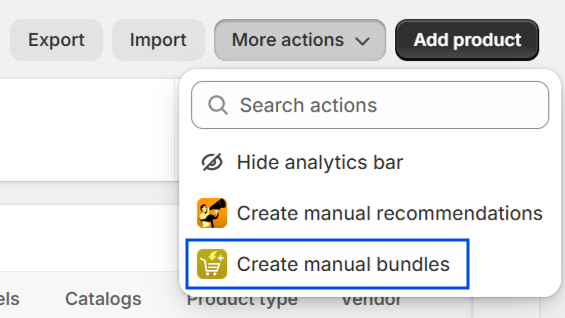
Use 'Create manual bundle' to create a manual bundle with Frequently Bought Together.
This is useful when you are checking your products and want to create a bundle without opening the app first. You may also see the same shortcut from an individual product page:
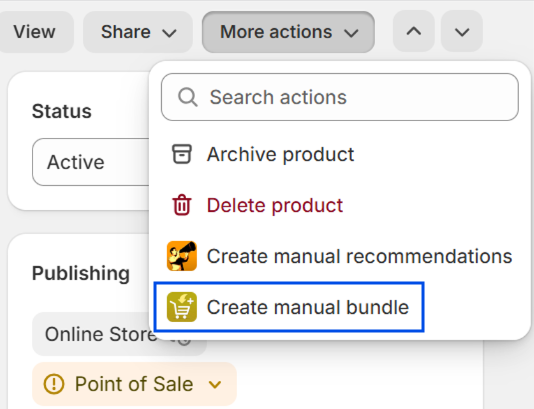
If you use the shortcut from a product page, you can continue the bundle setup from that product context.
Discount shortcuts
Frequently Bought Together can also appear in Shopify Admin when you create or manage discounts.
In the discount type selector, 'Frequently Bought' identifies the app section. The option you can select in that section is: Global discounts.
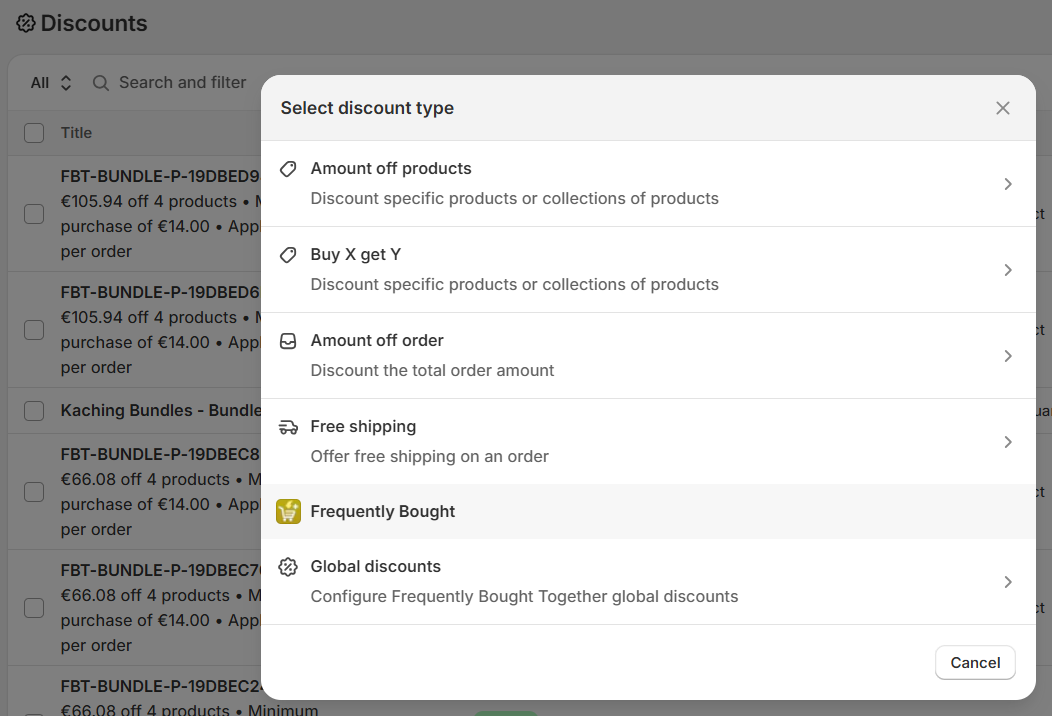
Select 'Global discounts' to continue with the Frequently Bought Together global discount configuration.
Why do I not see these shortcuts?
If you do not see the shortcut, check that:
- Frequently Bought Together is installed on your store.
- You are on a Shopify Admin page where the shortcut is available.
- Your Shopify user has permission to access the app and that Shopify Admin area.
- You have refreshed the Shopify Admin page.
The available shortcuts may change depending on the Shopify Admin page and the product or discount you are viewing.
Can I still access the app preferences page?
Yes. Shopify Admin Links do not replace the Frequently Bought Together preferences page.
They only give you a faster way to open some actions from Shopify Admin.
Need help?
If you cannot find the shortcut you need, please contact us and we will be happy to help.