
How to turn on and turn off the video sound?
As the primary goal of the app is configuring background videos, the app by default does not show any volume controls.
However, you can go to the video preference page to enable a mute / sound icon, as well as muting the video initially:
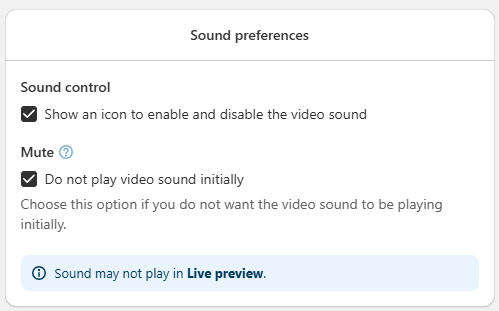
The icon works in the same way as the YouTube sound icon, so this is how the icon will be displayed in the video when sound is playing:

This is how the icon is displayed in the video when sound is not playing:

Keep in mind that due to browser restrictions, audio can only be played after a user interaction, such as a click or tap on the screen. Therefore, even if the mute option is unchecked, the video sound will not start until the user interacts with the page.
This is a limitation of the browser itself, not of the application, and once the visitor interacts with the page, the video sound will play normally if the mute option is unchecked.