
How to use the Live Preview in Currency Converter Plus
Currency Converter Plus includes a Live Preview in the Visual styles section so you can review how your currency elements will look before checking them in your storefront.
The preview updates as you adjust the available visual settings, helping you see the effect of your changes on a sample store layout. This makes it easier to configure the app’s appearance and keep currency information consistent with your store design.
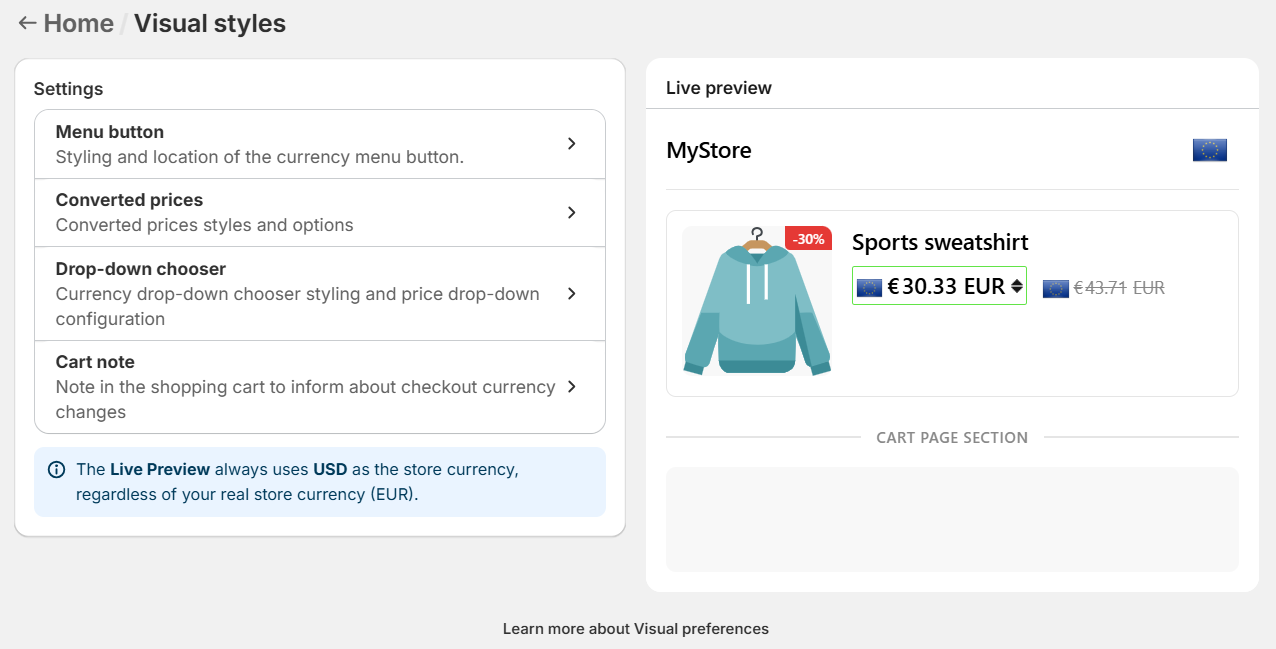
The Live Preview is displayed next to the settings panel. It shows a sample product area and, when relevant, a cart page section so you can review how different currency elements may appear in your store. It can show several Currency Converter Plus elements, depending on the section you are configuring.
What can be previewed
The Live Preview shows the main currency elements that customers may see in your store, including the menu button, converted prices, the drop-down chooser, and the cart note.
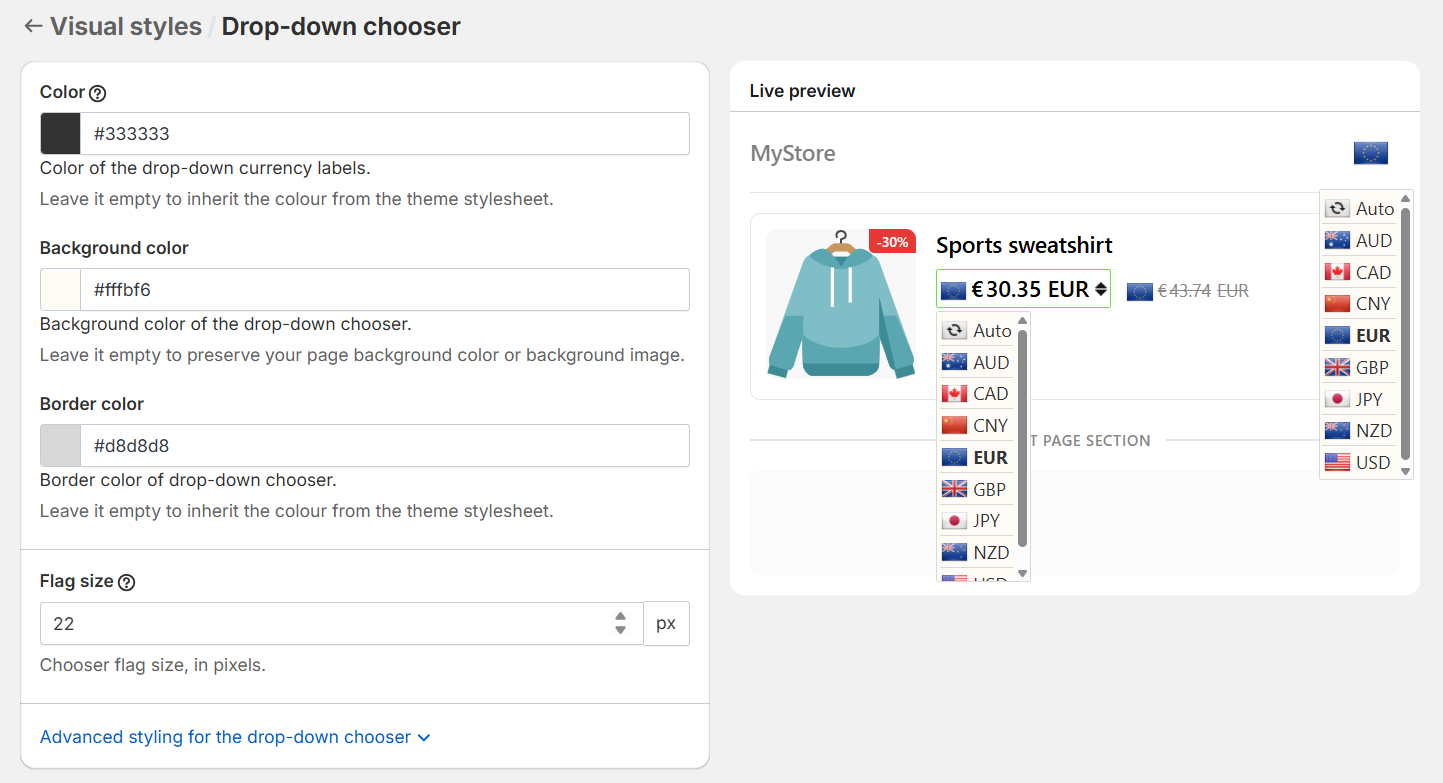
As you adjust the settings, you can review changes such as flags, currency labels, colors, borders, arrows, rounded prices, currency codes, and cart note text. Some elements are also interactive, so you can click the menu button or the price selector to see how the currency list appears when opened.
Also you can edit the message in the cart note and use placeholders such as {{shop-name}} , {{shop-currency}} , {{user-currency}} , and {{checkout-currency}} .
The preview helps you check that your currency information is clear, readable, and visually consistent before reviewing it in your live storefront.
Understanding active and inactive preview areas
Some parts of the Live Preview may appear with reduced opacity. These areas are shown as context, but they are not the active element for the section you are editing.
Elements shown with normal color and contrast are the active parts of the preview. When they are interactive, you can click them to review their behaviour, such as opening the currency menu or the drop-down chooser.
Why use the Live Preview
The Live Preview helps you review visual changes directly from the configuration screen, without switching back and forth between the app and your storefront.
It is especially useful when adjusting colors, flags, borders, labels, and other details that affect how customers read and interact with currency information.